Invites that move
Animated Living Card designs play the moment a guest opens your link, full screen on their phone.
Calla features · invitations, RSVPs & family calendar
Free invitations and RSVPs, one family calendar, and the Premium helpers that fill it for you. Invitations are free with no time limit; Premium is free for your first 14 days, no card.


01 💌Free
1,400+ ready-made designs. Drag your title into place, share a link anywhere. Guests RSVP in seconds: no app, no account.
RSVP
12 going · 3 maybe
✓ we’re coming!no app needed to reply
02 🧭Premium
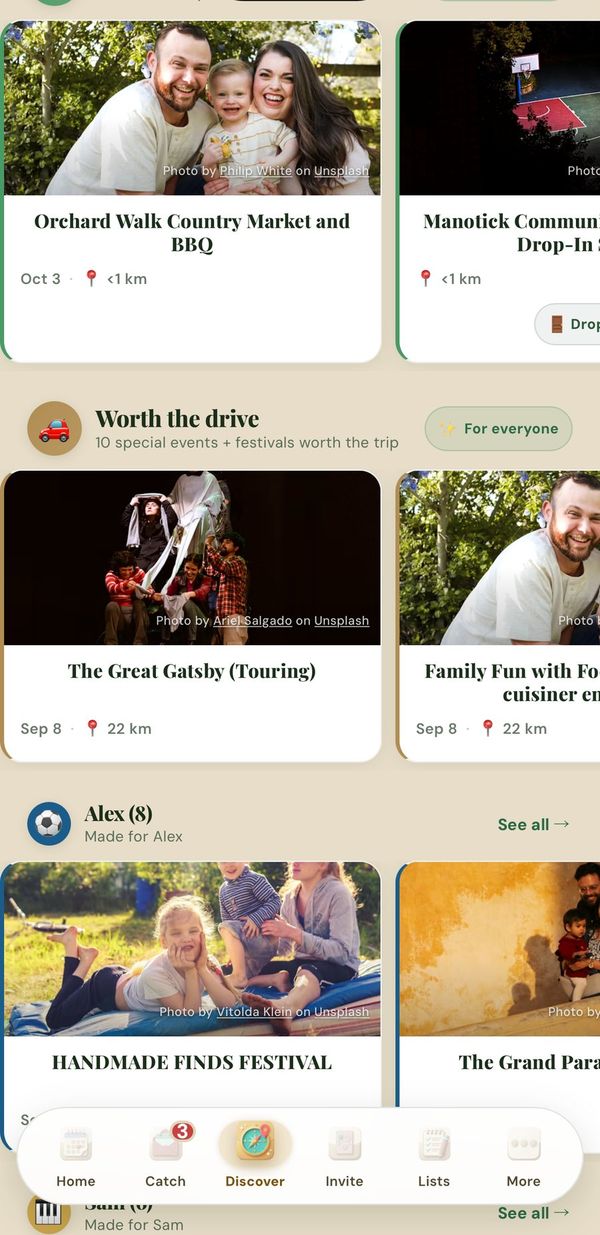
Local events in Ottawa, Toronto, Vancouver, Calgary, Edmonton, Montréal and 12 Indian cities — fairs, leagues, library and community programs. On the free plan you’ll see one preview event. Each kid gets a row picked for their age, sorted by distance once you set your neighbourhood.
Picked for Emma (6)
03 🎙️Free
Tap the mic and say it in plain English. Calla fills in the kid, the day and the time, and you tap to save. “Skip soccer tomorrow” finds the event and asks before removing it.
“Emma has soccer at 3 pm Wednesday”
04 📥Premium
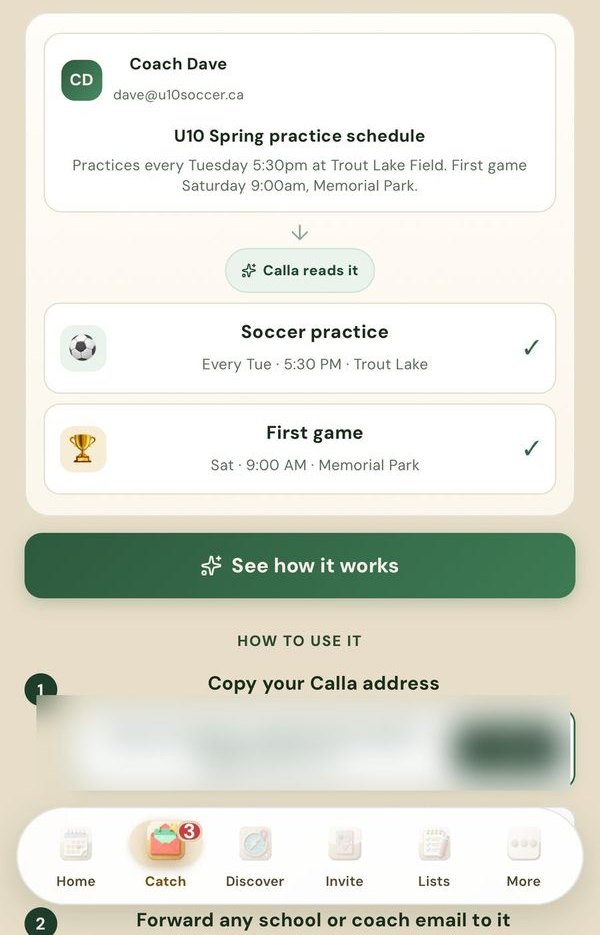
Every family gets a private forwarding address. Forward the coach’s email or the school newsletter — AI reads the email text (not attachments) and pulls out the date, time, place and notes. Review it, tap Add, and it’s on the calendar.
Fwd: to your family’s Calla address
Recital dress rehearsal — June 3, 5:30 pm, Main Hall. Black leotard.
details like “black leotard” go in the notes
05 📸Premium
Point your camera at a flyer — a camp poster, a PA-day notice, a sign-up sheet — and AI reads the date, time and location off the photo.
School flyer · snapped
PA Day Camp — Oct 24
9 am – 4 pm · Rec Centre · pack lunch · $38
06 ✅Free
Daycare bag, sleepover, camp, potluck, road trip — ready-made templates for real family life. Tap one and it’s yours to tick off.
Template · Sleepover bag
Emma → Grandma’s 🧳
2 of 4 packed
07 🔔Free
Pick how far ahead — set a default from 5 minutes to a week, and pick a different one for any event. Turn on quiet hours to silence non-urgent alerts overnight — anything starting within 15 minutes still comes through. On the lock screen you see the activity and time — Calla never adds your child’s name or the address.
 Calla · Remindernow
in 1 hour
🏊 Swim lessons · 4:00 PM
08 🤝Premium
Invite your partner by email. They install Calla, open the link, create their login, and share one family calendar with you — every event and forwarded email.
added Dentist — Noah, Thu 4 pm
saw it instantly · “I’ll drive 👍”
one invite email to join
09 💬Premiumpart of co-parent sharing
Every event has its own comment thread. Leave a note, @mention whoever needs to see it — it lands on their phone, attached to the event it’s about.
Mom · on the event
@Dad can you grab a gift on the way?
Dad · opened from the push
on it — lego okay? 🧱
the thread lives on the event, not in 4 chats
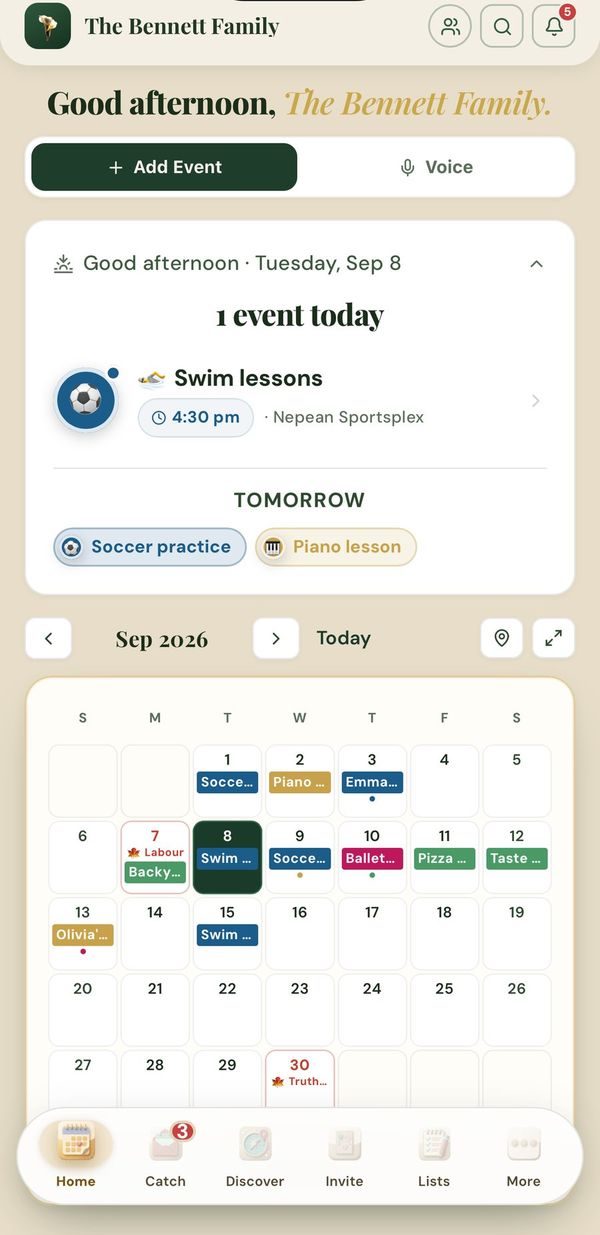
Real screens from the app
Also in Calla
Animated Living Card designs play the moment a guest opens your link, full screen on their phone.
After the event, guests add their photos through the same invite link. Every photo is safety-checked, and the whole album is deleted 7 days after the event.